Reduce AI/LLM Cost Using Semantic Caching
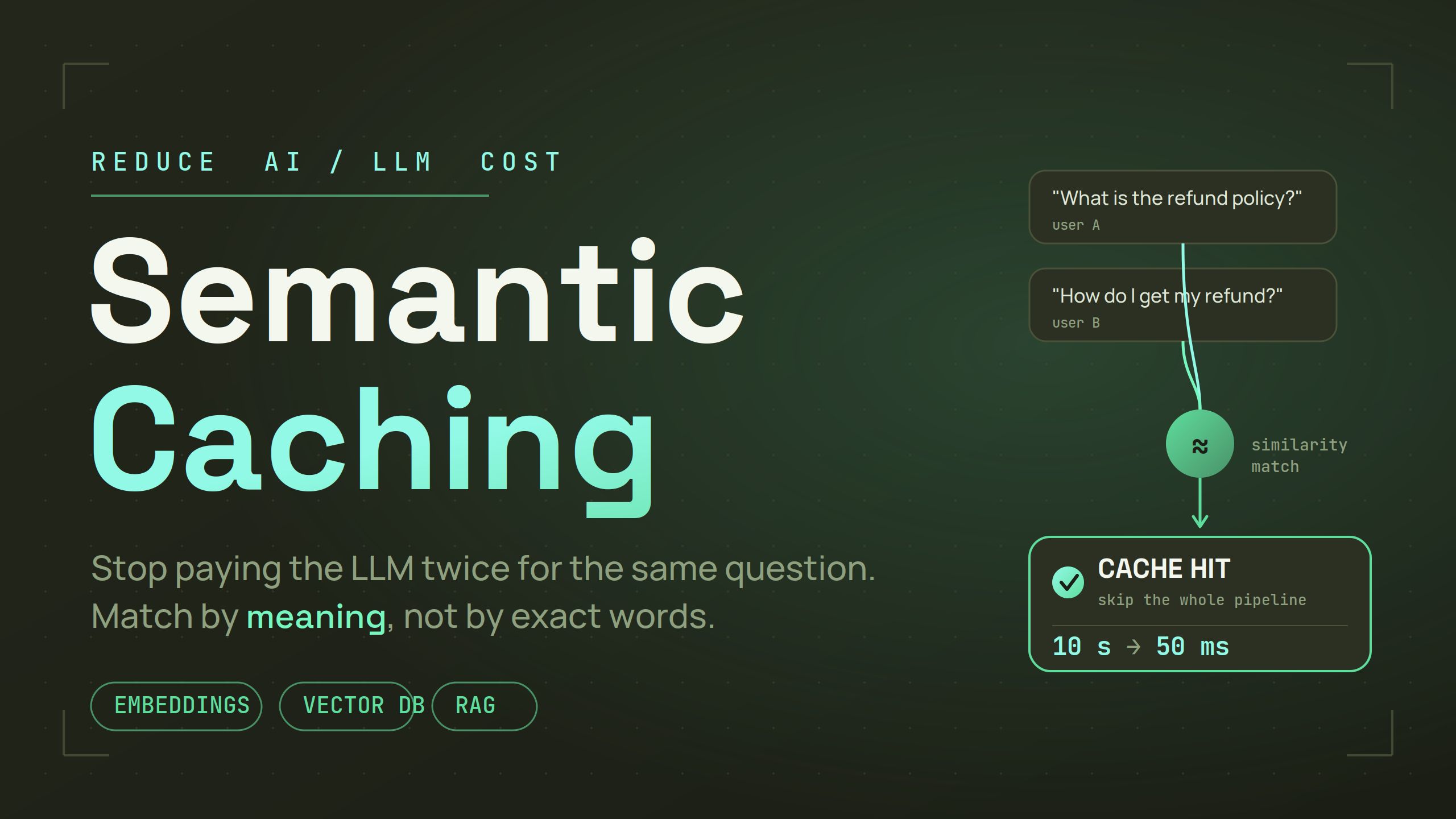
Hi folks, today I am going to share one of the most effective ways through which you can reduce your LLM cost drastically depending on how you use it. And this method is known as Semantic Caching.
Before you understand semantic caching, you need to understand how normal and typical caching works.
What is Caching
Imagine that there is a restaurant where customers give orders of different cuisines, but there is one specific cuisine that gets ordered more than often. Now, every time going to the chef and demanding to cook it from scratch is kind of a process. If we know that there is this dish that is being ordered more and often, we would cook that in advance and keep it close to the counter. And now customers don't have to wait for that specific dish, as it's already there near the counter ready to be served — this thing is called caching.
In developer language, what happens every time a user makes a request: we process that request and check our database (hardware storage — slow) and then do some processing and send it back to the user. This whole thing takes time, depending on the type of operation. So caching is a mechanism that allows you to store that data in a cache DB (memory-like storage); these are very fast compared to a typical hardware-style storage database.
So the first time, the request will hit and get processed how it usually happens, but from the next time when the user tries to access the same data they will be able to retrieve it 90% faster, because instead of going back to the database it does a quick check if this data exists in our cache.
The normal caching basically stores the data in key-value pairs, meaning: you have this specific order with this specific OrderID that is being retrieved more than often — so here we basically cache this data where we know the OrderID will always be constant.
{
  "orderId": "\<value_of_data\>"
}
Semantic Caching
Now when we use LLM queries, this specific format doesn't work well, and let me tell you why.
It happens because our keys will never be the same, because users ask questions in Natural Language, e.g.:
- One user might say: "What is refund policy?"
- Second user might say: "How to get my refund?"
Now if you look closely at this, you can see that the intent of both statements is similar but the words are not. These types of queries we can't cache using normal caching.
So we perform semantic caching here. In short, semantic caching is the way to convert these queries into vector embeddings and store them. Next time when a user comes and tries to look up something, instead of matching word-by-word, it does a vector similarity search to find what's the closest query that was asked, and if it's present, it returns that response directly.
How does it reduce cost?
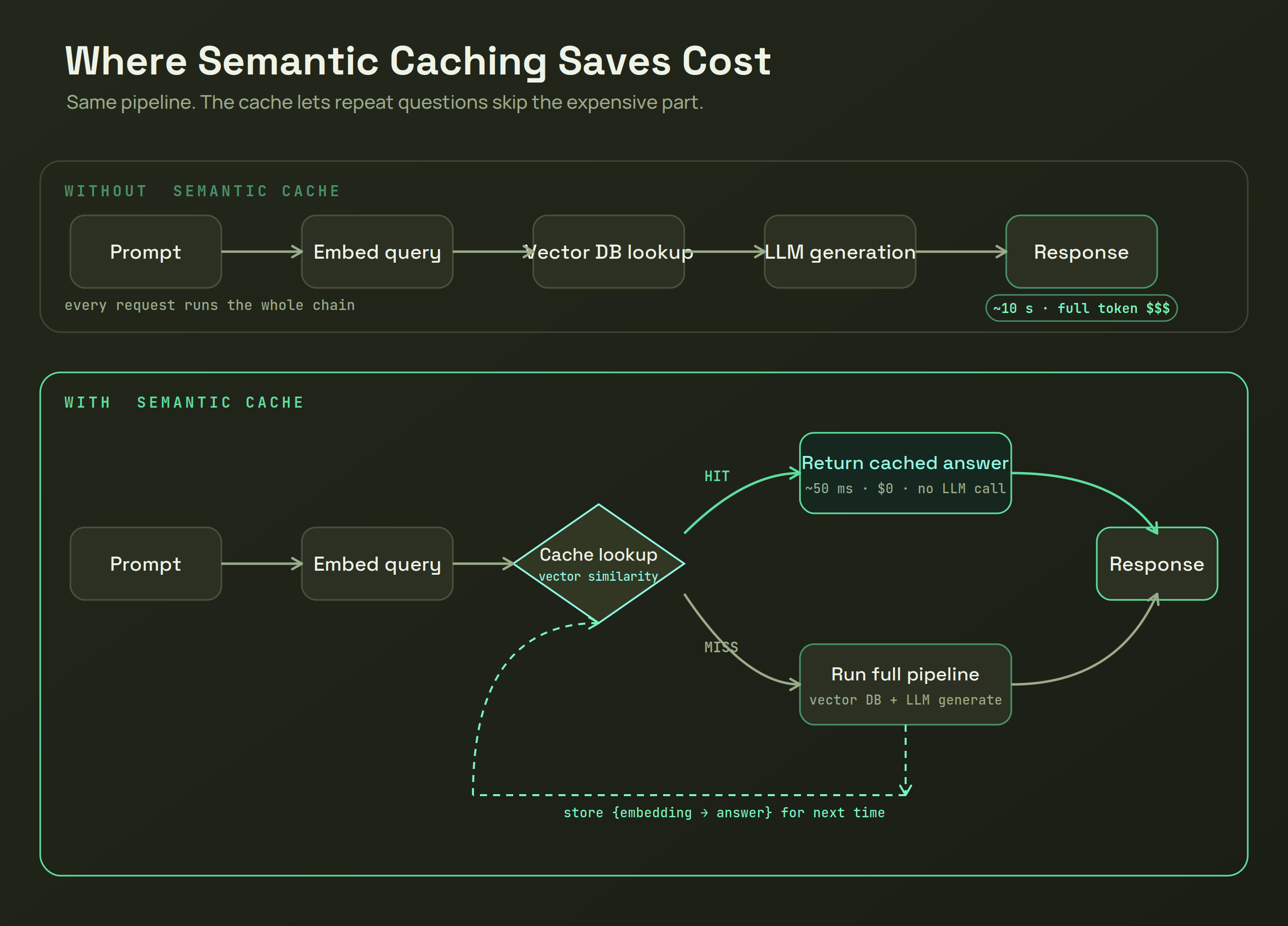
Let's run it through a simulation where we have an LLM + RAG pipeline to see what happens when a user asks a question.
Without semantic caching:
When a user asks a question (prompt), we take that, convert it into an embedding (using OpenAI embedding), and try to find relevant context from our vector database. Whatever context we get in return, we use to generate an answer and then send it back to the user. As you can see, we did all these actions:
- Vector DB Lookup: To retrieve matching context.
- Postgres/Database Lookup (optional): But if you are storing the text of your context here (which is a good habit).
- LLM Generation: Using the context + prompt, you generate the response.
This entire process costs you time (because looking through searches and generating the LLM response itself takes time) and money (obviously, you are generating responses using LLMs like OpenAI, which costs money).
And now, next time when a user comes and asks a question with the same intent but in a different tone, what do you do? You do all that from scratch.
With semantic caching:
When a user asks you a question, if it's the first time, you will go through the same process, but before you return the response:
- You take the user prompt, convert it into an embedding, and store it along with the generated LLM response.
Now, next time when a user comes:
- You convert that prompt into an embedding.
- Match it inside your semantic cache DB. If there is a match that is close enough (like that refund policy example), then skipping the entire process, you can directly take that response and send it back to the user (reducing response time from 10 seconds to 50ms). You saved both your time and cost!
Things to Keep in Mind:
- Global vs. Individual Query Scope: Semantic cache is useful and effective only if you know there are queries that are being searched globally (i.e., all users are referring to the same database). If they are individual and isolated queries, it won't help much. (Refund policy was an example where those kinds of questions are asked more often). But imagine a user asking about themselves or their own documents; you wouldn't want them getting someone else's cached information.
- User Isolation: If you want to implement semantic caching where you have different users to serve, make sure to add separation using a
userIdmeta tag or similar, so that you can filter while doing similarity matches. - Similarity Threshold: When you do similarity searches for semantic caching, depending on the embedding model you use, you might have to tune the similarity score threshold. For example, if the closeness score reaches 0.95, only then consider it a match; if it's less, reject it. This is important, otherwise you would end up returning wrong and useless responses.
- Cache Invalidation: It can be that your company's refund policy changed, but your cache still has the old data. When you have normal caching, you know the exact key to delete and it gets resolved. But with semantic caching, things get trickier, so you have to manage it smartly. There are different mechanisms like TTL, event-based invalidation (for which you tag your cache with a specific ID and link it with the source document), etc.
So, I hope you understand how this works!